Have you ever wondered how some photos look so amazing? Well, it’s not just magic—it’s often thanks to AI photo editors! These tools use artificial intelligence, or AI, to make pictures look better with just a few clicks. Let’s dive into the exciting world of AI in photo editing!
The Rise of AI Tools to Edit Photos
A few years ago, editing photos was something only professionals could do well. But now, AI has made it possible for anyone to edit photos like a pro. AI tools can automatically fix and enhance photos, making them look fantastic without much effort.

AI, which stands for artificial intelligence, is a type of technology that allows computers to learn and make decisions on their own. In photo editing, AI can analyze a photo and make adjustments that would normally take a human a long time to do. This has made photo editing much more accessible and fun for everyone, from kids to adults.
What Can AI Photo Editors Do?
AI photo editors are like super-smart helpers that can do a lot of amazing things to improve your photos. Here are some of the cool things they can do:
Upscaling and Sharpening Images
Have you ever taken a photo that looks a bit blurry or pixelated? AI can fix that! Upscaling means making the photo bigger without losing quality, and sharpening means making the details in the photo clearer. It’s like giving your photo a pair of glasses to see better!
For example, if you took a picture of your cat, but it looks a little fuzzy, an AI photo editor can make it look sharp and clear. This is really helpful if you want to print the photo or share it online.
Intelligent Subject Detection
Imagine drawing a line around your friend in a photo in just one second. AI can do this super quickly, making it easy to edit specific parts of a picture. This is called intelligent subject detection.
Let’s say you took a photo of your friend at a park, and you want to make your friend stand out more. The AI can automatically detect your friend in the photo and separate them from the background. This makes it easier to add cool effects or adjustments to your friend without affecting the whole picture.
Background Removal and Replacement
Have you ever taken a great picture but hated the background? AI can help you remove and replace backgrounds easily. Now, you can put yourself in front of the Eiffel Tower, even if you’re just in your backyard!
This is super fun if you want to create imaginative photos. For instance, you could take a picture of yourself at home and use an AI photo editor to replace the background with a beach scene. Suddenly, it looks like you’re on vacation!
Automatic Adjustments and Enhancements
AI can automatically adjust the brightness, colors, and contrast of your photos. It’s like having a magic wand that instantly makes your pictures pop.
Sometimes, when you take a photo, it might look a bit dull or too dark. AI can analyze the photo and make it look brighter, more colorful, and more vibrant with just one click. This saves a lot of time compared to adjusting each setting manually.
Face Retouching and Improvements
Want to get rid of a pimple or smooth out your skin? AI can help retouch faces, making them look flawless and natural. This is great for selfies and portraits.
For example, if you have a photo of yourself with a little blemish, the AI can remove it and smooth out your skin, making you look your best. It can also whiten your teeth and brighten your eyes, giving you a fresh and polished look.
Photo Colorization and Restoration
Have an old black-and-white photo? AI can add colors to it, making it look like it was taken yesterday. It can also restore old, damaged photos to their former glory.
This is amazing if you have old family photos that are faded or damaged. AI can bring them back to life by fixing the colors, removing scratches, and making them look new again. It’s like time travel for your photos!
Subject Selection and Masking
AI can help you select and edit specific parts of your photo without affecting the rest. This makes it easier to focus on what’s important in your picture.
For instance, if you have a photo of a flower and you want to make the flower look more vibrant without changing the background, AI can help you do that. It can accurately select the flower and let you make adjustments to it while keeping the background the same.
Testing Methodology and Criteria
When we test AI photo editors, we look at how well they perform different tasks. We evaluate their features, usability, and overall results.
Evaluating AI Editing Features
We check how good the AI is at different editing tasks like upscaling, retouching, and background removal. This involves comparing the original photo with the edited version to see how much improvement there is.
For example, if an AI tool claims to be great at removing backgrounds, we test it with different types of photos to see how well it performs. We look for clean edges and how natural the final image looks.
Assessing User Experience and Usability
We see how easy and fun the tools are to use. A good AI photo editor should be simple and enjoyable for everyone.
This means the software should have an intuitive interface that’s easy to navigate. We consider how quickly a new user can learn to use the tool and how smoothly they can complete editing tasks. If a tool is too complicated, it might not be as enjoyable to use.
Examining Overall Results and Performance
Finally, we look at the final edited photos to see if they meet our expectations. We want the photos to look amazing!
This involves checking the quality of the edited photos, the accuracy of the AI adjustments, and how well the tool handled different types of photos. We also consider the processing speed and whether the tool can handle high-resolution images without slowing down.
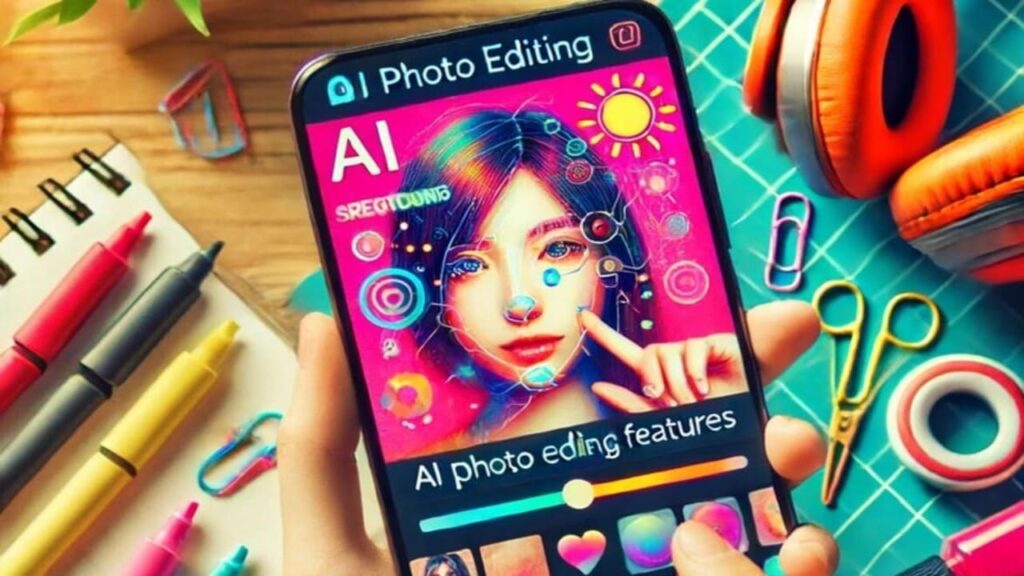
Best AI Photo Editors
Here are some of the best AI photo editors available today:
Adobe Photoshop: Industry-Leading AI Tools
Adobe Photoshop is famous for its powerful AI tools that help make your photos look professional. It offers a wide range of features that can enhance your photos in many ways.
For example, Photoshop has a tool called “Content-Aware Fill” that can remove unwanted objects from your photos seamlessly. It also has advanced retouching tools that can smooth out skin, brighten eyes, and even reshape facial features.
Luminar Neo: AI-Powered Photo Editing
Luminar Neo uses AI to provide creative and easy-to-use photo editing features. It’s designed for both beginners and professionals, making it accessible to everyone.
One of the standout features of Luminar Neo is its “Sky Replacement” tool. With just one click, you can change the sky in your photo to something more dramatic or colorful. It also has tools for enhancing landscapes, portraits, and more.
Canva: AI-Assisted Design and Photo Editing
Canva is great for creating designs and editing photos with its user-friendly AI tools. It’s perfect for making social media posts, flyers, and other graphic designs.
Canva’s AI tools include background removal, photo filters, and one-click adjustments. It’s a great tool for anyone who wants to create beautiful designs without spending hours learning complicated software.
Online and Mobile AI Photo Editors
You can edit photos online or on your phone with these awesome tools:
Pixlr: Web-Based AI Photo Editing Suite
Pixlr offers powerful AI editing features directly in your web browser. This means you don’t need to download any software to use it.
Pixlr has a variety of tools for enhancing photos, including background removal, filters, and retouching. It’s a great option for quick and easy photo editing on the go.
Lensa: Mobile AI Editor for Portraits and Selfies
Lensa is perfect for editing selfies and portraits on your phone. It uses AI to enhance your photos with just a few taps.
Lensa’s features include skin smoothing, eye brightening, and background blurring. It’s designed to make your selfies look stunning with minimal effort.
AI Photo Editing Features in Action
Let’s see some cool AI features in action:
Object Removal and Background Replacement
AI can remove unwanted objects from your photos and replace backgrounds in seconds. This is great for fixing photos with distractions or creating new scenes.
For example, if you took a photo at a park and there’s a trash can in the background, AI can remove it for you. You can also replace the background with something more interesting, like a beach or a cityscape.
Image Upscaling and Sharpening
AI makes your photos clearer and more detailed, even if they were taken with an old camera. This is especially useful for improving the quality of older photos.
If you have a small, low-resolution photo, AI can upscale it to a higher resolution, making it look sharp and clear. This is great for printing photos or sharing them online.
Intelligent Subject Detection and Selection
AI quickly detects and selects subjects in your photos, making editing super easy. This is helpful for adding effects or adjustments to specific parts of a photo.
For instance, if you have a photo of your dog, AI can automatically detect and select the dog, allowing you to adjust its colors or add a fun filter without affecting the rest of the photo.
Pros and Cons of AI Photo Editing
Like everything, AI photo editing has its pros and cons:
Pros
- Easy to Use: Anyone can edit photos like a pro. AI tools simplify the editing process, making it accessible to everyone, even if you’ve never edited a photo before.
- Time-Saving: Edits are done quickly and automatically. AI can complete complex editing tasks in seconds, saving you a lot of time compared to manual editing.
- Powerful: Enhances photos in ways that were impossible before. AI can analyze photos and make adjustments that enhance their quality and appeal in ways that traditional editing tools can’t.
Cons
- Limited Creativity: Sometimes, AI doesn’t allow for much creative freedom. While AI can automate many tasks, it may not always understand your creative vision, and you might need to make manual adjustments to achieve the desired look.
- Cost: Some AI tools can be expensive. High-quality AI photo editors often come with a price tag, and not everyone may want to invest in them.
Future of AI in Photo Editing
AI in photo editing is getting better every day. In the future, we can expect even more powerful and easy-to-use tools that make our photos look amazing.
One exciting possibility is AI tools that can understand your personal style and preferences. Imagine an AI photo editor that knows exactly how you like your photos to look and can apply those settings automatically. This would make photo editing even more personalized and efficient.
Another potential development is AI that can create entirely new images based on your descriptions. For example, you could tell the AI to create a picture of a dragon flying over a castle, and it would generate a realistic image for you. This could open up new possibilities for artists, designers, and anyone who loves creative photography.
Conclusion
AI photo editors are fantastic tools that make photo editing easy and fun. Whether you want to enhance your pictures or get creative, AI has got you covered. Give it a try, and you’ll be amazed at what you can do with just a few clicks!
With AI, anyone can become a photo editing pro, making their photos look stunning and professional. From upscaling and sharpening to background removal and face retouching, AI tools offer a wide range of features that simplify and enhance the photo editing process. So go ahead, explore the world of AI photo editing, and let your creativity shine!